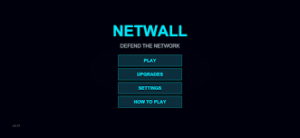
NetWall is a useful Android application designed to help users manage internet access for installed apps. It allows you to decide which applications can connect to Wi-Fi or mobile data, giving you better control over your device’s network usage.
Many apps continue using the internet in the background even when you are not actively using them. This can increase data usage, reduce battery life, and affect device performance. This app helps solve these problems by allowing users to control internet permissions with just a few taps.
The application has a clean interface that is easy to understand. Whether you want to save mobile data, improve privacy, or reduce unnecessary background activity, this app offers a simple solution.
What is NetWall?
NetWall is an Android firewall application that gives users complete control over internet access for installed apps. Instead of allowing every application to use your mobile data or Wi-Fi automatically, it lets you decide which apps are allowed to connect.
The app works by creating firewall rules without requiring complicated settings. Users can block internet access for selected apps while allowing important applications to stay connected.
This makes it useful for people who want better privacy, lower data usage, and improved battery performance.
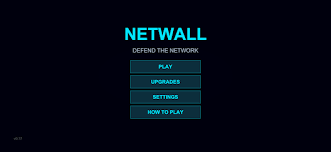
Main Features
Easy Firewall Management
The application allows users to control internet permissions for every installed app with a simple interface.
Wi-Fi and Mobile Data Control
You can allow an app to use Wi-Fi only, mobile data only, both, or completely block internet access according to your needs.
Data Saving
Blocking unnecessary background connections helps reduce mobile data usage, making your internet package last longer.
Better Privacy
Some applications continuously connect to the internet in the background. Managing internet access helps improve your privacy by limiting unwanted network activity.
User-Friendly Interface
Everything is clearly organized, making it easy for beginners to understand and use.
Lightweight Application
The app is small in size and works smoothly without slowing down your Android device.
Background Network Control
Users can stop selected applications from using the internet when they are not needed.
No Complex Configuration
Most settings are available with simple switches, allowing users to control network access quickly.
How Does NetWall Work?
The application works by creating firewall rules for installed apps. Instead of blocking your entire internet connection, it manages internet access separately for each application.
For example, you can allow messaging apps to use the internet while preventing games or other background apps from connecting. This gives users greater control over network usage without affecting important applications.
Once the firewall rules are saved, the app automatically follows your selected settings whenever your device connects to Wi-Fi or mobile data.
Benefits of Using NetWall
Many Android users install numerous applications that continue using the internet even after being closed. This background activity consumes data, battery, and device resources.
Using NetWall helps reduce unnecessary network traffic while giving users more control over their internet connection. It also allows users to identify which applications really need internet access.
For people with limited mobile data plans, this feature can significantly reduce monthly data consumption. It also improves battery performance because fewer background connections remain active throughout the day.
The application is suitable for students, office workers, travelers, and anyone who wants better control over internet usage on Android devices.
One of the best things about NetWall is its simple and clean interface. All installed applications are displayed in a list, making it easy to manage internet access. Users can quickly allow or block Wi-Fi and mobile data for each app without searching through complicated menus.
The settings are well organized, so even first-time users can understand how the application works. Every option is clearly labeled, allowing changes to be made within a few seconds.
Performance
The application is designed to work efficiently without slowing down your Android device. It uses very little storage space and runs smoothly in the background.
Unlike some heavy security applications, this app focuses only on network management. Because of this, it consumes fewer system resources while still providing reliable internet control.
Users can continue using their favorite apps normally while the firewall quietly manages internet permissions according to the selected rules.
Why Choose NetWall?
There are many firewall applications available for Android, but NetWall stands out because of its simple design and practical features.
Some reasons why many users prefer this app include:
- Easy internet management.
- Low battery usage.
- Lightweight installation.
- Better privacy protection.
- Reduced mobile data consumption.
- Fast performance.
- Beginner-friendly interface.
- Reliable firewall controls.
These features make it a useful tool for both new and experienced Android users.

Pros
- Simple and clean interface.
- Easy Wi-Fi and mobile data control.
- Helps save mobile data.
- Improves privacy.
- Lightweight application.
- Smooth performance.
- Easy to configure.
- Suitable for most Android devices.
Cons
- Some advanced features may depend on device compatibility.
- New users may need a few minutes to understand firewall settings.
- Certain apps may not function correctly if internet access is blocked completely.
How to Download NetWall APK?
Installing the application is simple.
- Download the latest APK file from a trusted website.
- Enable Install from Unknown Sources in Android settings if necessary.
- Open the downloaded APK file.
- Complete the installation process.
- Launch the application.
- Configure internet permissions according to your preferences.
Always download APK files from trusted sources to help keep your device secure.
Frequently Asked Questions
Yes. The application is free to download and offers useful firewall features for Android users.
No. The application is designed to manage internet permissions. After installation, it can control network access according to your settings.
Yes. You can choose whether an application uses Wi-Fi, mobile data, both, or neither.
Yes. The interface is simple, making it easy to manage internet permissions without technical knowledge.
By reducing unnecessary background internet activity, some users may notice improved battery performance.
Final Verdict
If you want better control over internet access on your Android device, NetWall is a practical solution. It helps reduce unnecessary data usage, improves privacy, and allows users to manage internet permissions with a simple interface.
Whether your goal is saving mobile data, limiting background activity, or improving network control, this application provides useful features without making the process complicated. Its lightweight design, smooth performance, and easy setup make it a valuable tool for Android users.