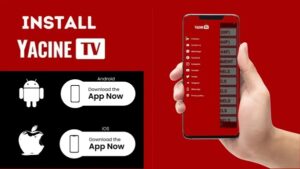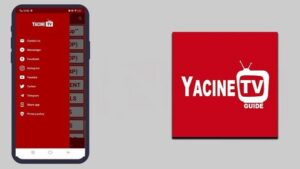
Yacine TV is a free Android streaming application that gives users direct access to live television channels, sports broadcasts, and on-demand entertainment — all without needing a cable subscription or monthly payment. Designed primarily for fans of live football streaming, this IPTV-style app brings together content from multiple regions into one lightweight, easy-to-navigate package.
The app has grown massively popular across North Africa, the Middle East, and among Arabic and French-speaking communities worldwide. Whether you want to catch a Champions League match, check the latest news on beIN Sports, or let your kids watch cartoons on a long evening, Yasin TV (as it is also commonly known) handles it all from a single install.

Unlike heavy IPTV platforms that demand login credentials, subscription fees, or complicated setup processes, Yacine TV keeps things refreshingly simple. Open the app, pick a category, and you’re live within seconds. That ease of use is a big reason why it ranks as one of the most-searched free live TV apps for Android in 2025.
Key Features of Yacine TV
Here is what makes this app stand out compared to other free streaming APKs currently available:
Live Football Streaming
Watch Premier League, La Liga, Serie A, UEFA Champions League, and Arab League matches in real time.
100+ Live TV Channels
Access sports, news, entertainment, and kids channels from Arabic, French, and international networks.
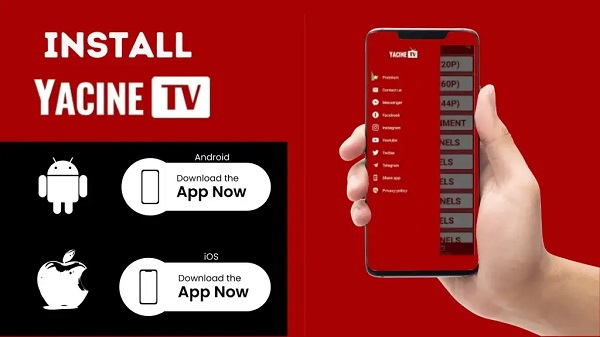
Multi-Resolution Playback
Stream in 244p, 360p, 720p, or 1080p HD. Switch quality anytime depending on your internet speed.
Match Notifications
Get alerts 15 minutes before kickoff, at match start, and at halftime so you never miss a moment.
Multi-Language Support
Navigate the app in English, Arabic, French, or Spanish. Content available in multiple language audio tracks.
No Registration Needed
Zero accounts, zero forms. Launch the app and start watching instantly — no personal data required.
Lightweight & Fast
Runs smoothly on older Android phones and budget devices. Low on RAM, battery-friendly performance.
Smart TV & FireStick Ready
Works on Android TV boxes, Smart TVs, Amazon Fire TV Stick, Xiaomi Mi Box, and NVIDIA Shield.
Available Channel Categories
Yacine TV organizes its content into clearly labeled categories, making navigation quick and intuitive. Here’s a breakdown of what’s inside:
| Category | Examples | Language |
|---|---|---|
| ⚽ Sports | beIN Sports, SSC Sports, MBC Sport | Arabic / English |
| 📰 News | Al Jazeera, France 24, BBC Arabic | Arabic / French / English |
| 🎬 Entertainment | MBC Drama, Rotana Cinema, TF1 | Arabic / French |
| 🧒 Kids | Spacetoon, Cartoon Network Arabia | Arabic |
| 🎵 Music | Rotana Music, Mazzika | Arabic |
| 🇫🇷 French TV | TF1, M6, France 2, BFM TV | French |
| 🏆 Live Events | Highlighted ongoing matches & specials | Multiple |
The Live Events section is particularly useful — it surfaces ongoing football matches and special broadcasts right on the home screen, so you don’t need to manually browse. If a big match is happening right now, it appears front and center.
How to Download & Install Yacine TV APK
Since Yacine TV is not available on the Google Play Store, you need to install it manually as an APK file. The process is straightforward and takes less than two minutes:
- Enable Unknown Sources
Go to Settings → Manage Apps → Special App Access → Install Unknown Apps → allow your browser or file manager. - Download Yasin TV
Tap the download button on this page to get the verified Yacine TV 3.1 APK file onto your Android device. - Install YTV Player First
Yacine TV requires the YTV Player to run video streams. Download it from the Google Play Store before launching the main app. - Install the APK
Open the downloaded file, tap Install, and wait for the process to complete — usually under 30 seconds. - Open & Enjoy
Launch Yacine TV, browse categories, pick your channel, and start streaming live content instantly.
Device Compatibility
One of the strongest advantages of Yacine TV Live is how broadly it runs across different screen types and device generations:
- Android Phones & Tablets: Full feature support including all channels, match notifications, multi-language menus, and personalized favorites. Works on Android 5.0 and above, including budget and mid-range handsets.
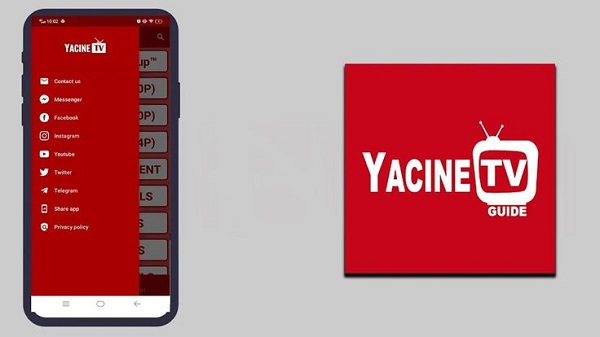
- Android Smart TVs & TV Boxes: The interface adapts for big-screen use with remote-friendly navigation. Compatible with popular streaming boxes like Xiaomi Mi Box, NVIDIA Shield, and Formuler devices.
- Amazon Fire TV Stick: Works well with FireStick remotes after sideloading. Channel browsing and live sports playback function without any major issues.
- Windows & Mac (via Emulator): Users can run the app on a computer using Android emulators like BlueStacks or LDPlayer. Most features carry over, though touch-based UI elements may require mouse mapping.
- iOS (iPhone/iPad): Yacine TV is not natively available for iOS. However, users report limited success through screen mirroring from Android or by using web-based alternatives.
Why Yacine TV Is So Popular in 2025
There are dozens of free streaming apps floating around the internet, yet Yacine TV continues to rank near the top of download charts. The reasons are practical rather than flashy.
- First, cost. Cable packages and IPTV subscriptions have become expensive. For a viewer who simply wants to watch a weekend football match or catch the evening news in Arabic, paying a monthly fee feels unnecessary. Yacine TV removes that barrier entirely.
- Second, focus. Most generic streaming apps bury sports content deep inside menus or require extra add-ons. Yacine TV builds the entire experience around live sports and regional television from day one. Football fans in Algeria, Morocco, France, Saudi Arabia, and beyond open the app and find their content immediately visible — not hidden under five sub-menus.
- Third, performance on modest hardware. Many viewers in regions where this app is popular use mid-range or older Android phones. Because Yacine TV stays lightweight and avoids resource-heavy background processes, it delivers smooth streams on devices that would struggle with heavier apps.
- Finally, the app’s no-registration policy aligns with how millions of users prefer to interact with apps. No email. No password. No tracking. You install it, and it works.
Tips for the Best Streaming Experience
Getting smooth, buffer-free playback on ياسين تيفي comes down to a few simple habits:
- Use a stable Wi-Fi connection when watching HD content. For 1080p streams, a connection of at least 10 Mbps is recommended. If your internet is slower or unstable, drop to 720p or 480p inside the video quality settings.

- Clear app cache regularly — especially if you notice the app loading slowly or streams stalling. Go to Android Settings → Apps → Yacine TV → Storage → Clear Cache.
- Keep the app updated. New versions fix buffering issues and add fresh channels. Visit the source site periodically to check for a newer build than 3.1.
- Use a VPN if certain channels appear geo-restricted in your country. A lightweight VPN connecting to a French or Arabic server typically resolves region-locked content issues.
- Enable match notifications inside the app so you never accidentally miss a live kickoff. The three-tier alert system (pre-match, kickoff, halftime) is a genuinely useful feature for busy viewers.
Frequently Asked Questions
Yes. There are no subscription fees, no in-app purchases, and no hidden charges. The app is entirely free to download and use.
The app streams live TV channels through third-party sources, which does not comply with Play Store content policies. It is available as a direct APK download instead.
Yes. YTV Player is the video engine that Yacine TV relies on for stream playback. Without it installed, channels will not play. Download YTV Player from the Google Play Store before launching Yacine TV.
Yes. Yacine TV 3.1 works on Android-based Smart TVs, Android TV boxes, and Amazon FireStick via sideloading. The interface adjusts for remote control navigation automatically.
Football (soccer) is the primary focus, covering Premier League, La Liga, Bundesliga, Serie A, Ligue 1, UEFA Champions League, FIFA World Cup, and major Arab league competitions. Cricket (IPL, ICC events) and other sports are also available through certain channels.
Final Words
Yacine TV App is one of the most practical free live TV apps available for Android in 2025. If you want zero-cost access to live football, Arabic channels, French networks, and international sports broadcasts — all in a lightweight, no-login app — this is a top-tier pick.